
Listapa1.3.0 - Google Play
You'll be able to see results in few seconds.
Publisher Description
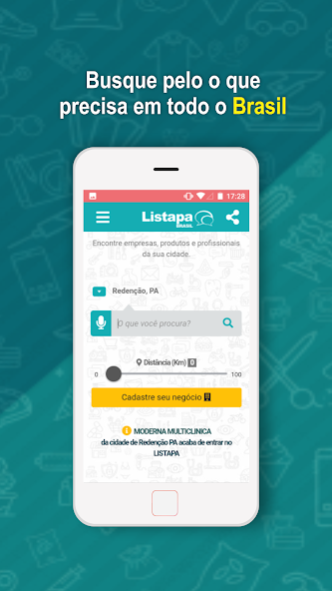


Download the mobile version of ListaPeru.com.br - Online phone book and Trade guide.
Find information from more than 3 million and 200 thousand companies and professionals from all over Brazil with just a few touches on the smartphone in the palm of your hand: phones, Whatsapp, addresses (maps and routes), websites, e-mails, services, , social networks, photos, videos, find out if the place delivers, what forms of payment are accepted, if you have access to wifi, parking, opening hours and offers when selecting your city.
FIND NEAR YOU: taxis, banks and ATMs, clothing and footwear stores, hotels, pet shops, gyms, restaurants, bars, pizzerias, hamburgers, snack bars, schools, colleges, pharmacies, gas stations, entertainment and culture, clinics , hospitals, jobs, contests, and more that you need!
Listapa is constantly growing, so if you can not find your business in our search results, you can register it quickly and easily through our application as well.
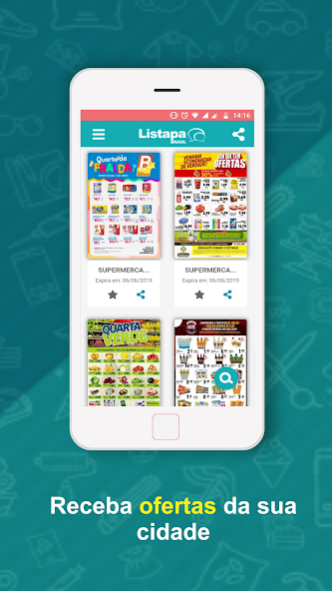
Create your account to evaluate your favorite companies, help other users with your comment, send photos of companies and receive offers from your city.
CHARACTERISTICS OF THE APPLICATION:
- Search for what you need throughout Brazil;
- Make one-touch calls;
- Add contacts to your calendar;
- History of the last searches;
- Sharing of contacts and application;
- Location of the contacts in Google Maps;
- Find corporate social networks (WhatsApp, Facebook, Instagram);
- Create your account, with login and password;
- Evaluate companies;
- Send pictures;
- Receive offers;
- REGISTER YOUR BUSINESS FOR FREE.
Follow us:
Instagram: @listapabrasil
Twitter: @ListapaBrasil
Facebook: / listapa
Send suggestions to: atendimento@listapa.com.br
About Listapa
The company that develops Listapa is Listapa Brasil. The latest version released by its developer is 1.3.0.
To install Listapa on your Android device, just click the green Continue To App button above to start the installation process. The app is listed on our website since 2019-06-28 and was downloaded 0 times. We have already checked if the download link is safe, however for your own protection we recommend that you scan the downloaded app with your antivirus. Your antivirus may detect the Listapa as malware as malware if the download link to agile.ti.mobile.listapa is broken.
How to install Listapa on your Android device:
- Click on the Continue To App button on our website. This will redirect you to Google Play.
- Once the Listapa is shown in the Google Play listing of your Android device, you can start its download and installation. Tap on the Install button located below the search bar and to the right of the app icon.
- A pop-up window with the permissions required by Listapa will be shown. Click on Accept to continue the process.
- Listapa will be downloaded onto your device, displaying a progress. Once the download completes, the installation will start and you'll get a notification after the installation is finished.
Program Details
System requirements
Download information
Pricing
Version History
version 1.3.0
posted on 2019-06-28
Melhorias no motor de busca.
Disclaimer
Official Google Play Link
We do not host Listapa on our servers. We did not scan it for viruses, adware, spyware or other type of malware. This app is hosted by Google and passed their terms and conditions to be listed there. We recommend caution when installing it.
The Google Play link for Listapa is provided to you by apps112.com without any warranties, representations or guarantees of any kind, so access it at your own risk.
If you have questions regarding this particular app contact the publisher directly. For questions about the functionalities of apps112.com contact us.
